How to Convert Visio to TIFF
Visio users often find that they need to convert the program’s diagrams to the TIFF format for professional printing, archiving, faxing, or for using in other applications. The best way to convert Visio diagrams to the TIFF format is to use Universal Document Converter, which offers a flexible array of conversion parameters to meet every need.
On this page:
- How to convert Visio to TIFF?
- Place a watermark on the drawing to protect your copyright
- Convert Visio drawings and charts to TIFF in batch mode
- Visio to TIFF conversion code examples for developers
Place a Watermark on the Drawing to Protect your Copyright
Copyright protection is important when dealing with documents. To prove your ownership of a specific document you’d better place a watermark on it:
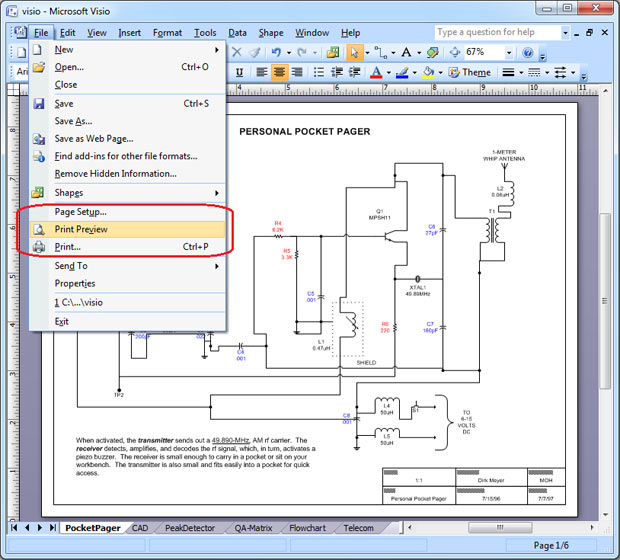
- Open the drawing and click File->Print Preview… in the Visio main menu
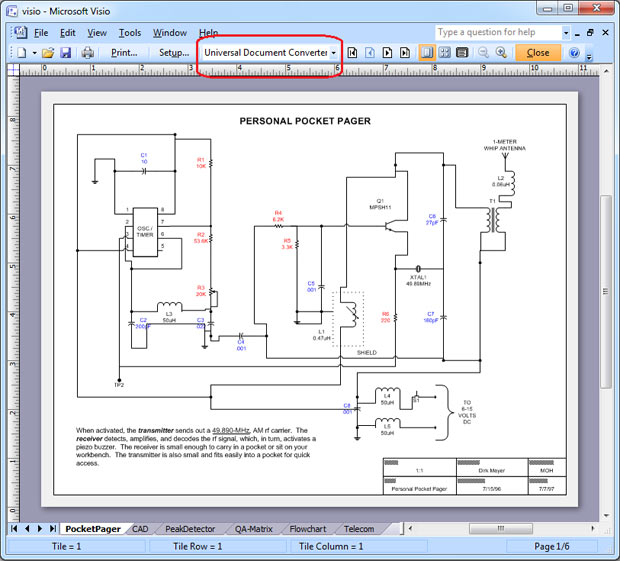
- Select Universal Document Converter from the list of printers
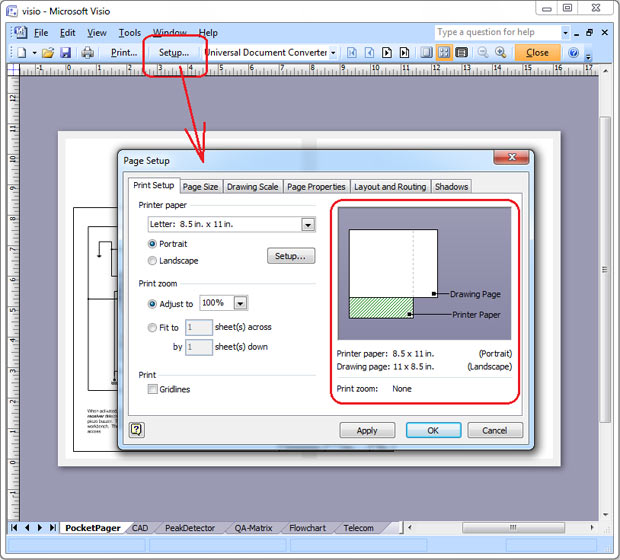
- Click Setup… In case the size of the printer paper and the size of the drawing page are different, try to change the page orientation or the page size to make them the same. Click OK to apply changes.
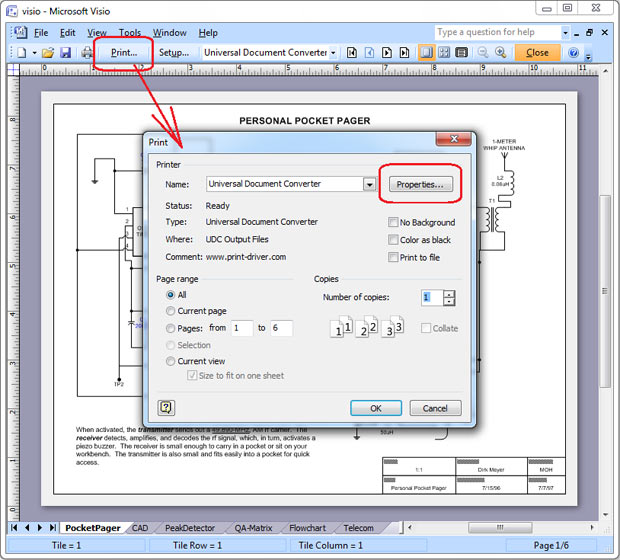
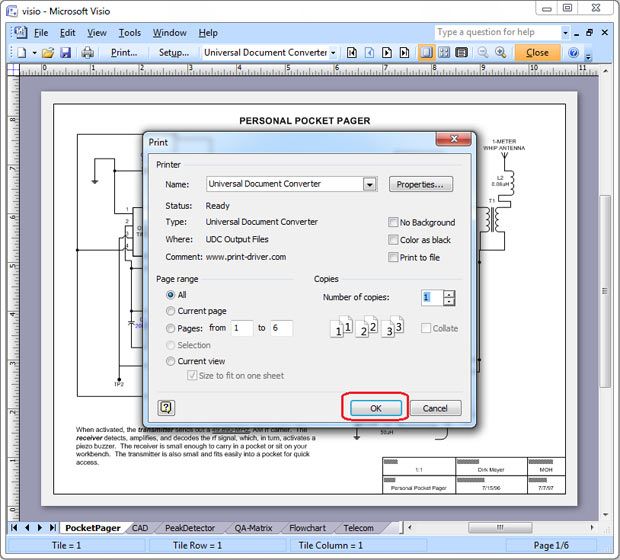
- Click Print…, then click Properties…
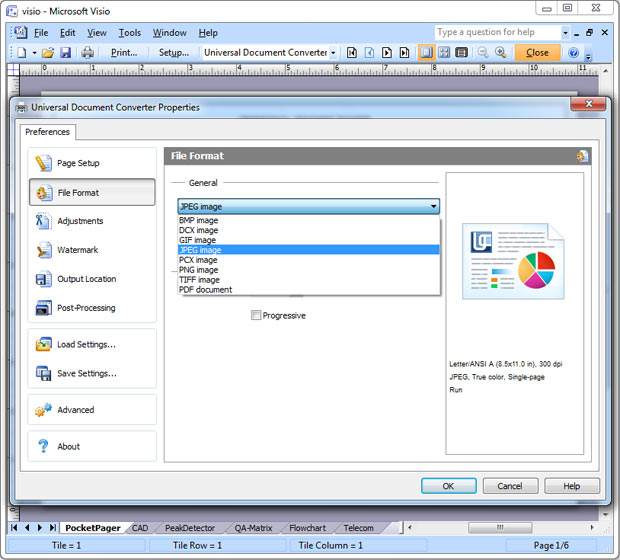
- In the File Format section select TIFF Image
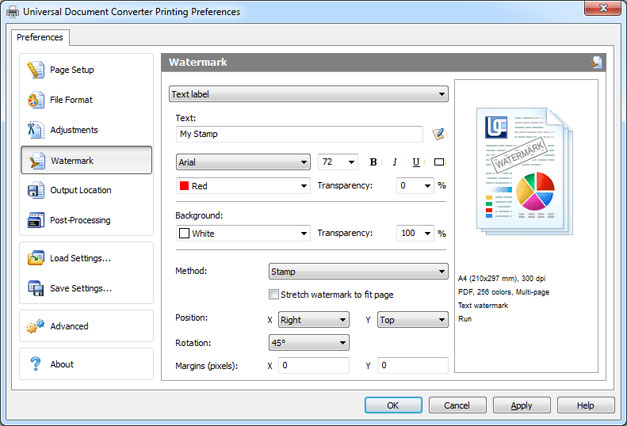
- On the Universal Document Converter settings panel go to Watermark area. You can use Text watermark or Picture like your company logo, etc. Click OK
Convert Visio Drawings and Charts to TIFF in Batch Mode
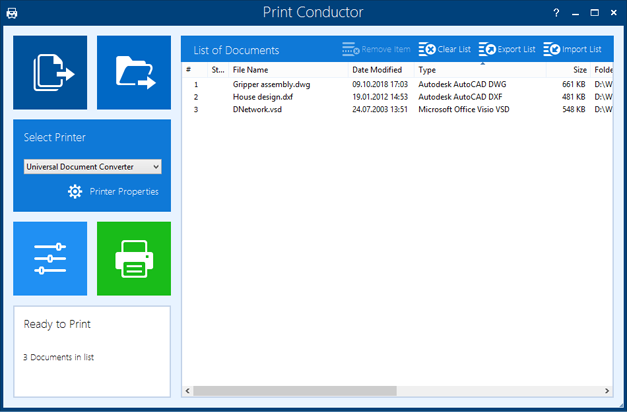
Print Conductor is the software that goes along with Universal Document Converter and has been developed specifically for batch converting the files. Here is the instruction on how to convert Visio Drawings and charts into the TIFF format in batch mode:
- Add the drawings you would like to convert
- Select Universal Document Converter printer
- Click Change Settings to set the destination folder and TIFF as an output file format
- Click Start to begin converting Visio drawings and charts to TIFF.
Visio to TIFF Conversion Code Examples for Developers
Developers of the Universal Document Converter offer resources for software developers involved in similar conversion projects. Thanks to the public API and code examples developers can utilize the existing resources in their own projects. Universal Document Converter can be installed on a number of workstations via the automatic deployment system.
Here are some examples of Visio to TIFF conversion in different programming languages.
Related conversion tutorials:
-

Marc Crames
Student, Germany
«The tool completely meets all of my expectations. It even allows me to precisely adjust the resolution of the created image file. In addition, as a pleasant side effect, the file is relatively immune to alteration.»