How to Convert Access Report to JPEG
Converting Access reports to JPEG format is useful for a number of applications, such as making report data available on a corporate website. Universal Document Converter uses virtual printing to quickly and easily turn Access reports into JPEG files. In addition to saving time, Universal Document Converter gives users full control over converted file parameters, including quality and color depth, as well as additional features like water marks and modified page parameters.
Please follow this manual to start converting of Access reports.
-
Download and install Universal Document Converter software onto your computer.
-
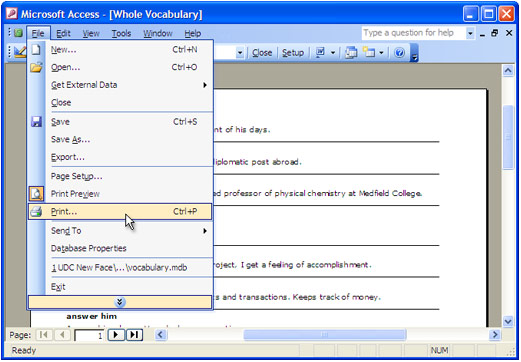
Open Microsoft Access report and press File->Print… in application main menu.
-
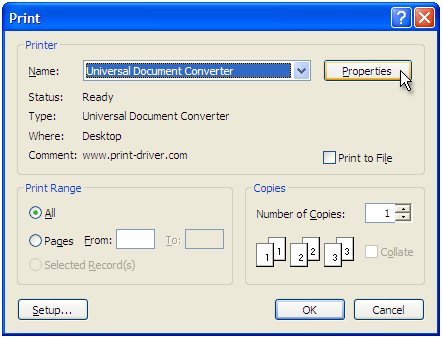
Select Universal Document Converter from the printers list and press Properties button.
-
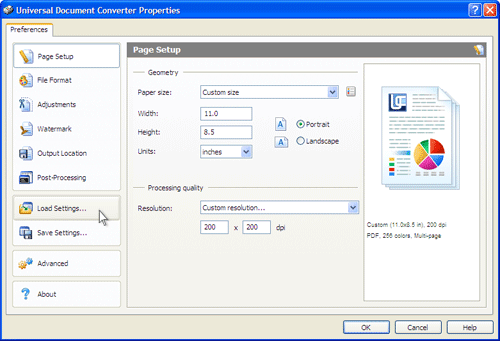
On the settings panel, click Load Properties.
-
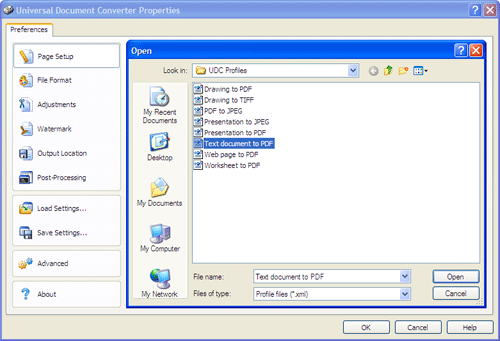
Use the Open dialog to select "Text document to PDF.xml" and click Open.
-
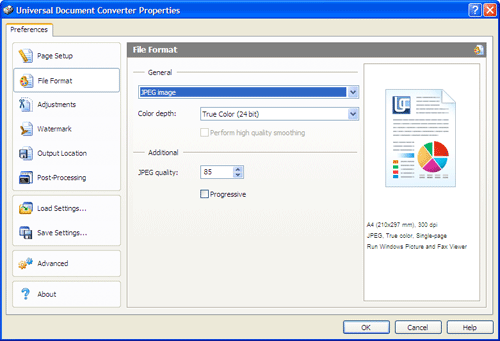
Select JPEG image on the File Format tab and click OK to close the Universal Document Converter Properties window.
-
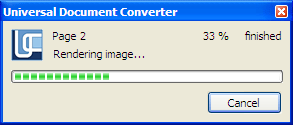
Press OK in Microsoft Access Print dialog to start converting. When the JPEG file is ready, it will be saved to the My Documents\UDC Output Files folder by default.
-
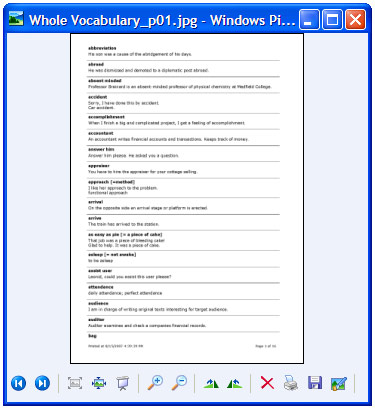
The converted report will then be opened in Windows Picture and Fax Viewer software or another viewer associated with JPEG files on your computer.
Related conversion tutorials:
-

Alan Schoen
USA
«Universal Document Converter is so user-friendly that one doesn't have to remember anything in particular about how to use it. It's structured in such a common-sense way that it just automatically explains itself to the user.»