How to Convert DjVu to TIFF
Universal Document Converter provides solutions to a wide range of conversion tasks. One of them is conversion of DjVu files to the TIFF format. DjVu is a computer file format designed primarily to store scanned documents, especially those containing a combination of text, line drawings, indexed color images, and photographs. Faxing the DjVu files can cause complications – DjVu files are hard to print, so the best solution to make them appropriate for faxing is to convert the DjVu files to TIFF allowing e-faxing.
On this page:
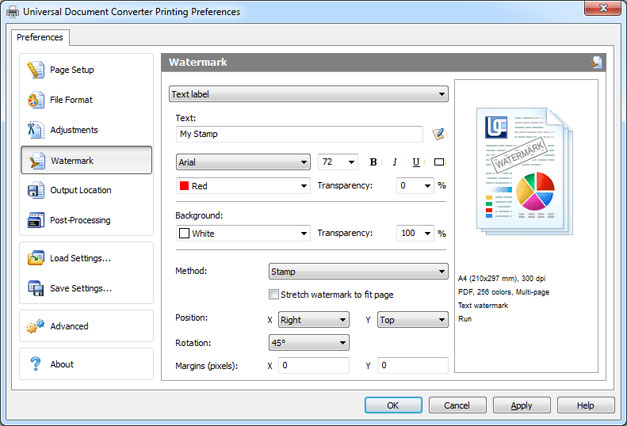
Place Watermark on Output TIFF
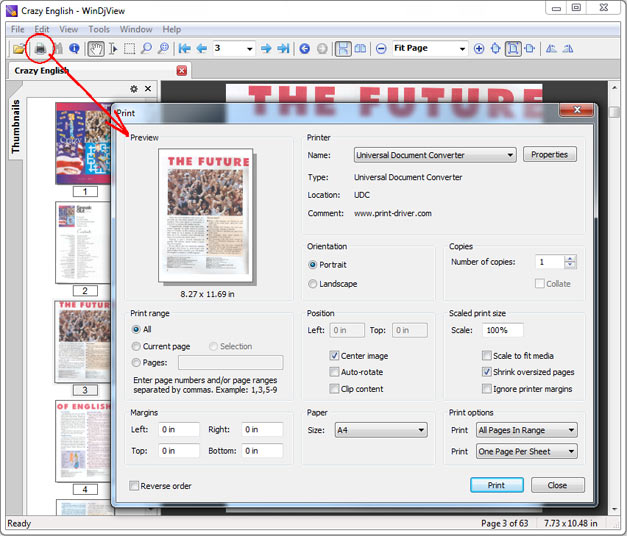
- Open DjVu file and click Print
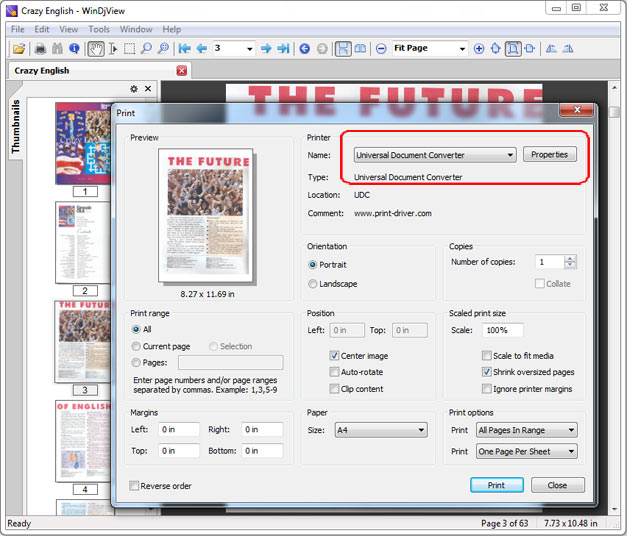
- Select Universal Document Converter from the list of printers and click Properties
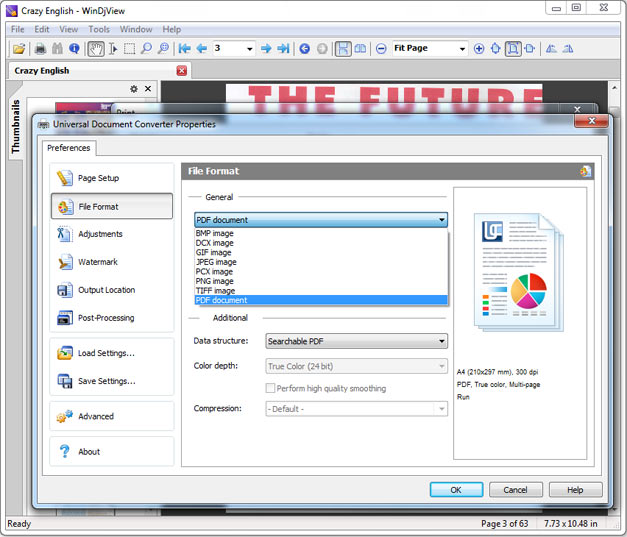
- Go to File Format and select TIFF Image
- Go to Watermark and select Text label or Picture depending on your preferences
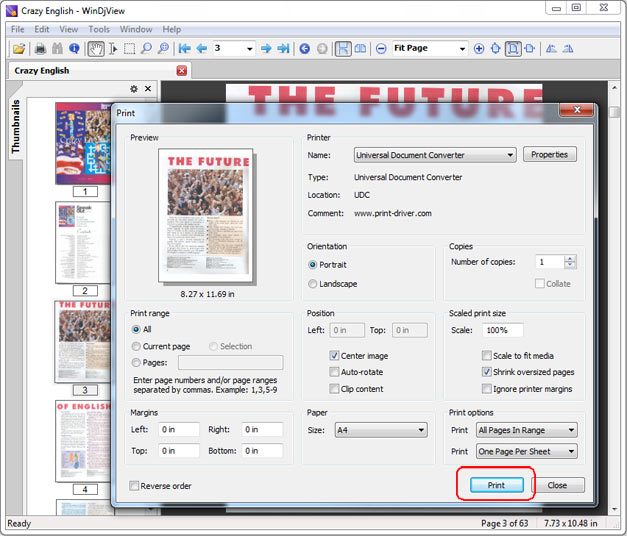
- Click OK to convert your DjVu file to TIFF.
Related conversion tutorials:
-

Jesse Tokar
CFO of FBC Mortgage Inc.
«It is extremely easy to install and configure and I just love that it functions like a PDF-print function. I was looking for something like this for a long time and no other product could even come close in ease of use and functionality.»