How to Convert Access Report to TIFF
Many companies regularly face the necessity to send Microsoft Access reports using facsimiles. The usual workaround involves printing the reports and faxing them manually. With Universal Document Converter, however, users can save time by quickly converting Access reports to the TIFF format for e-faxing them directly from their computers.
Please follow this manual to start converting Access reports
-
Download and install Universal Document Converter software onto your computer.
-
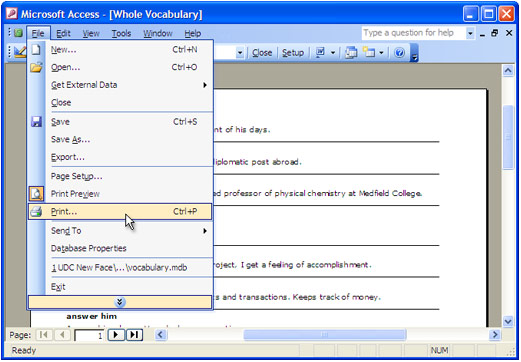
Open Microsoft Access report and press File->Print… in application main menu.
-
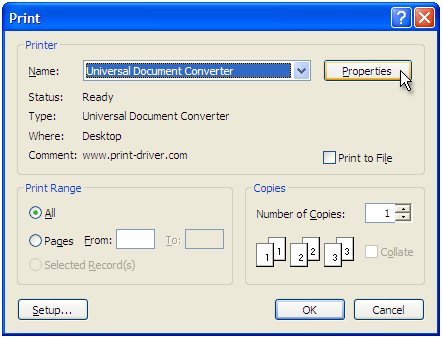
Select Universal Document Converter from the printers list and press Properties button.
-
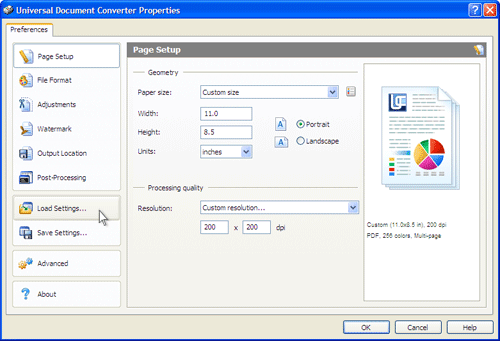
On the settings panel, click Load Properties.
-
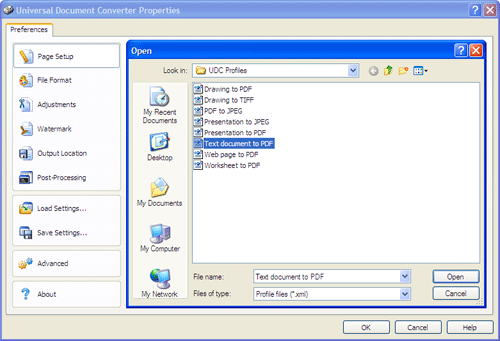
Use the Open dialog to select "Text document to PDF.xml" and click Open.
-
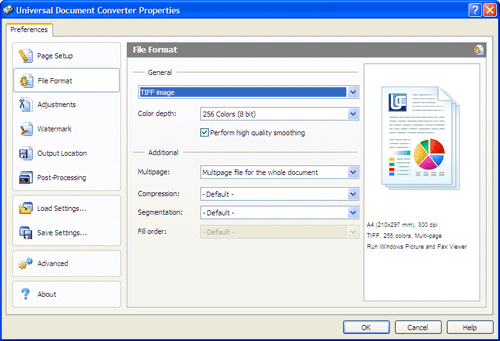
Select TIFF image on the File Format tab and click OK to close the Universal Document Converter Properties window.
-
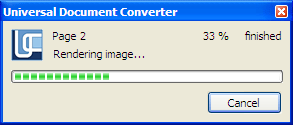
Press OK in Microsoft Access Print dialog to start conversion. When the TIFF file is ready, it will be saved to the My Documents\UDC Output Files folder by default.
-
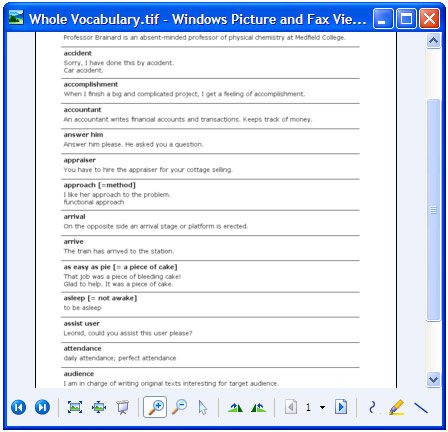
8. The converted report will then be opened by the Windows Picture and Fax Viewer software or another viewer associated with the TIFF files on your computer.
Related conversion tutorials:
-

DI Alfred Dietrich
Austria
«I use all of the MS Office programs with the Universal Document Converter being an indispensable addition for creating PDF files and converting files to JPG and TIF file formats. The Universal Document Converter is intuitive in its structure, easy to handle and, most importantly, extremely reliable. Currently, I am using the 6.0 version on Windows 7 and I am very happy with it.»