How to Activate Universal Document Converter
Activation Overview
fCoder Group, Inc. is committed to the protection of intellectual property rights and the reduction of software piracy. Everyone in the economic chain – not just the software manufacturer – is hurt by piracy, including the reseller, the support provider, and you, the end user. Authentic fCoder Group, Inc. software assures you of high-quality, virus-free product. Pirated software does not. Universal Document Converter contains software-based product activation technology, which means you need to activate your copy of Universal Document Converter in order to use it. Activation is quick, simple, and unobtrusive, and it protects your privacy.
Product Activation works by verifying that a software program’s serial number has not been used on more user accounts than intended by the software license. You must use the serial number in order to install the software. You can use an activation wizard to provide the installation serial number and your authentication number to fCoder Group, Inc. through a transfer over the Internet. An activation code is sent back to your machine to activate your product. The authentication number includes a hardware ID and a checksum of the user ID. No personally identifiable information is included or required. The activation code is simply an unlocking code for the Universal Document Converter installation on that particular PC for that particular user.
How to Activate
Activation Wizard window appears every time you open Universal Document Converter Printing Preferences panel or every time you initialize the Universal Document Converter COM-interface. Please click Next button for quick automatic activation:
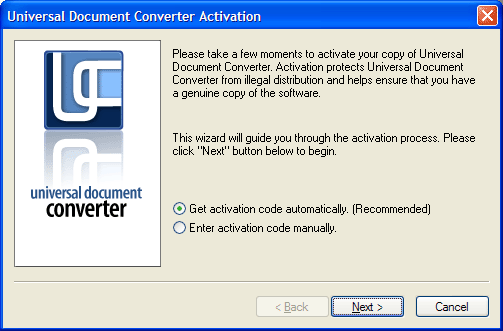
Activation Wizard will connect to fCoder Group, Inc. activation server. In most cases automatic activation does not need more than 10 seconds.
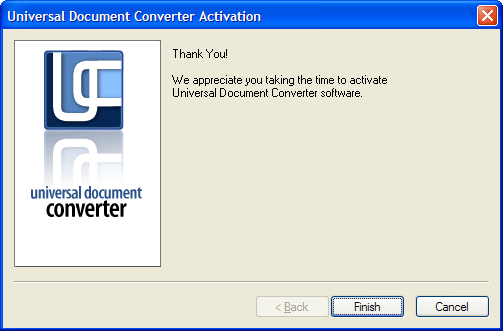
Sometimes automatic activation is not possible. As example this may happen if your computer is connected to the Internet by firewall, or if your Internet connection is disabled, or Internet Explorer works in offline mode. Learn how to activate the software using the web-form.