Using Profiles
By using profiles file processing via Universal Document Converter becomes much more efficient. Profiles imply specific file processing settings introduced by users that can be saved and used at any time. There are several profiles built in the software that can also be easily accessed and utilized.
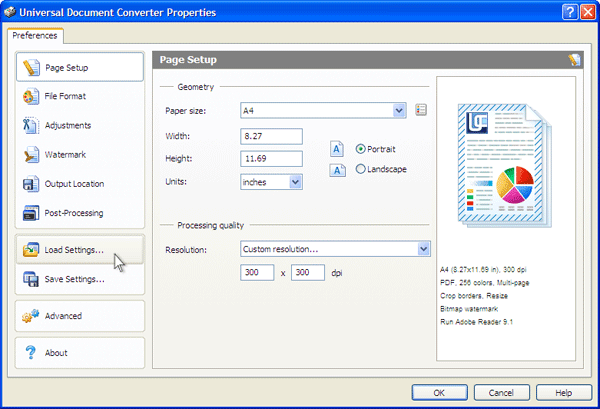
To use a previously created or a built-in profile, click Load Settings. This will display the standard Windows Open File dialog to select an XML file with the desired profile.
To create a new profile or to edit an existing one, specify all the necessary conversion settings. Then, click the Save Settings button. This will display a standard Windows Save File dialog, and a new or an existing XML file name can be specified.