Page Setup
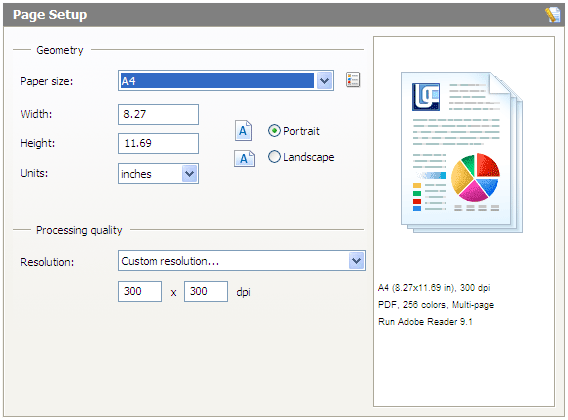
The Page Setup tab provides an interface to configure "print" settings for pages being sent to output files. It consists of two primary sections: "Geometry" and "Processing Quality".
Geometry
The Geometry section is designed to configure output file pages sizes. It uses the following controls.
Page size. Provides access to one of the standard page sizes, which a user may modify or add to using the Paper Form Manager.
Width. Page width in the selected units of measure.
Height. Page height in the selected units of measure.
Units. Units of measure used to specify width and height: millimeters, inches, or pixels.
Portrait/Landscape. Page orientation: portrait or landscape.
Print Quality
The Processing Quality section is designed to configure output file resolution. It uses the following controls.
Resolution. Provides access to one of the standard resolution values.
Vertical/Horizontal DPI. Vertical and horizontal image resolution values.
See also: