Advanced
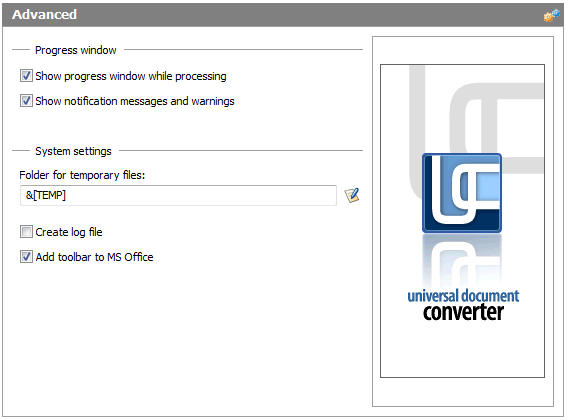
This tab is designed for additional configuration options and conversion system settings. It contains the following controls.
Conversion Progress
Show Progress Window While Processing. Automatically displays a small progress bar when as soon as conversion process starts.
Show Notification Messages and Warnings. Enables display of error messages for any errors of the conversion process.
System Settings
Folder for Temporary Files. The folder to be used to store temporary files used by the software. It can be specified manually or by way of a standard Windows dialog. The &[Temp] macro may be used to point to the standard Windows folder for temporary files.
Create Log File. Automatically creates a log file after the conversion process is completed.