

Remove Universal Document Converter
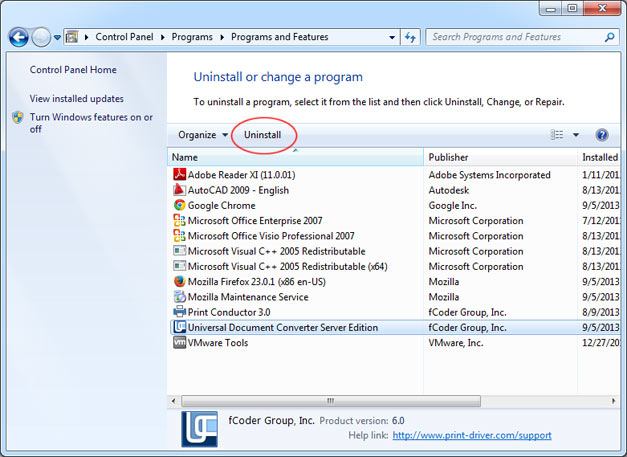
To remove the Universal Document Convert, open Windows Control Panel and click Uninstall the program. Find the Universal Document Converter in the list, and click Uninstall.
See also:

To remove the Universal Document Convert, open Windows Control Panel and click Uninstall the program. Find the Universal Document Converter in the list, and click Uninstall.